Snap your meal. See the carbs.
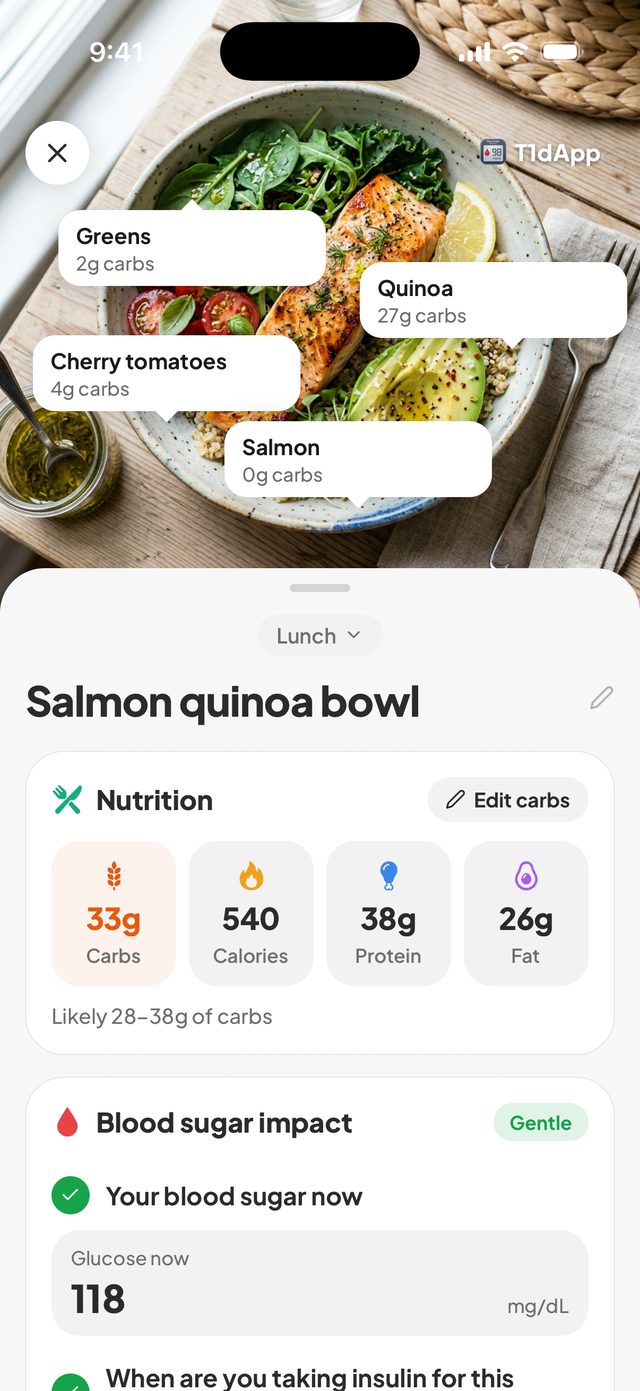
Take a photo of your plate. T1dApp shows the carbs, calories, protein and fat in seconds, and where your blood sugar is likely to be 2 hours later.
Who it's for
Built for real diabetes life.
Whether you take insulin or not, wear a CGM or prick your finger, it works the same: snap what you eat and see what it does.
Type 1
Count carbs in seconds and see how each meal lands two hours later.
Type 2 and prediabetes
Find the meals that spike you, and the ones that barely move your sugar.
Gestational diabetes
Meals, readings and notes in one place, ready to show your care team.
Parents
Log a child's meals, readings and insulin without paper notes or guesswork.
How it works
Photo in. Carbs out.
Three steps, and the last one happens on its own.
STEP 1
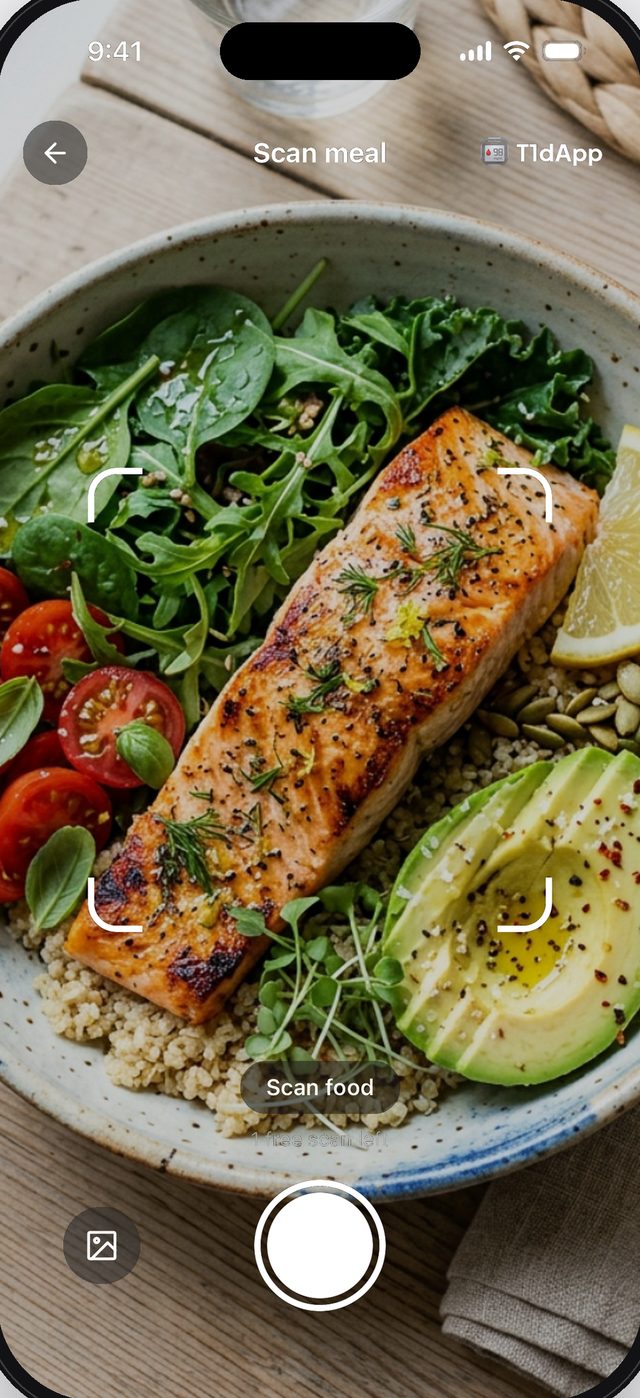
Snap your plate
Point your camera at your meal. No food search, no scale.
STEP 2
See the numbers
Carbs for each food, the meal's calories, protein and fat, and a likely blood sugar range for 2 hours later. Edit anything before you save.
STEP 3
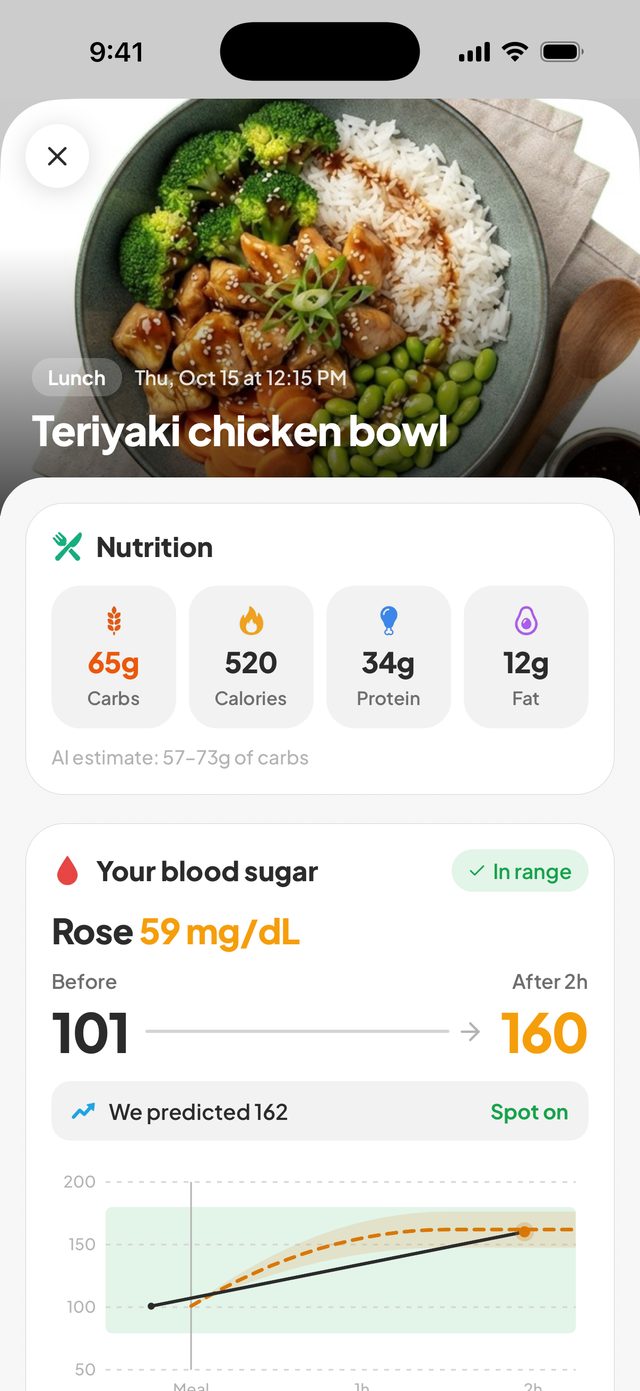
Check in after 2 hours
A reminder asks for your reading, so you see what the meal really did next to the estimate.
Features
Your meals and your blood sugar, side by side.
Meal impact
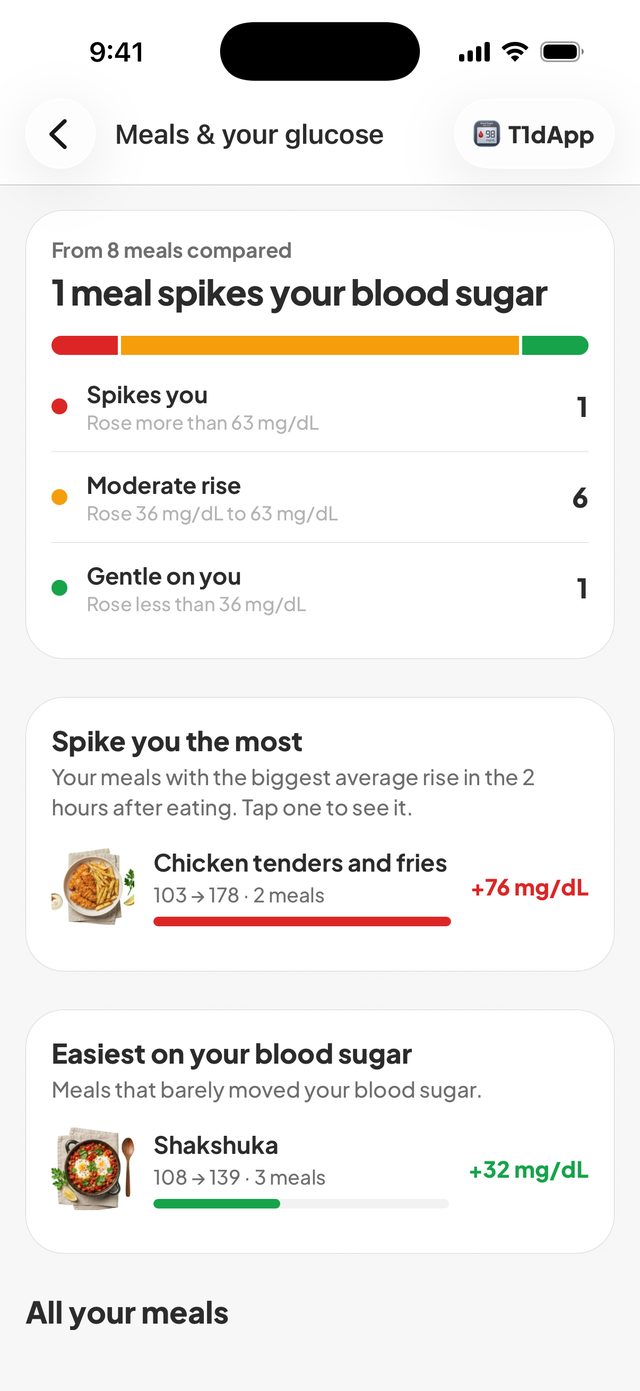
Find out which meals spike you.
Your meals sorted by how much they raised your blood sugar, from your own readings. Not a chart of averages from strangers.
- Meals that spike you, moderate ones, and gentle ones
- Your biggest rises and your easiest meals
- Tap any meal to see its readings before and after
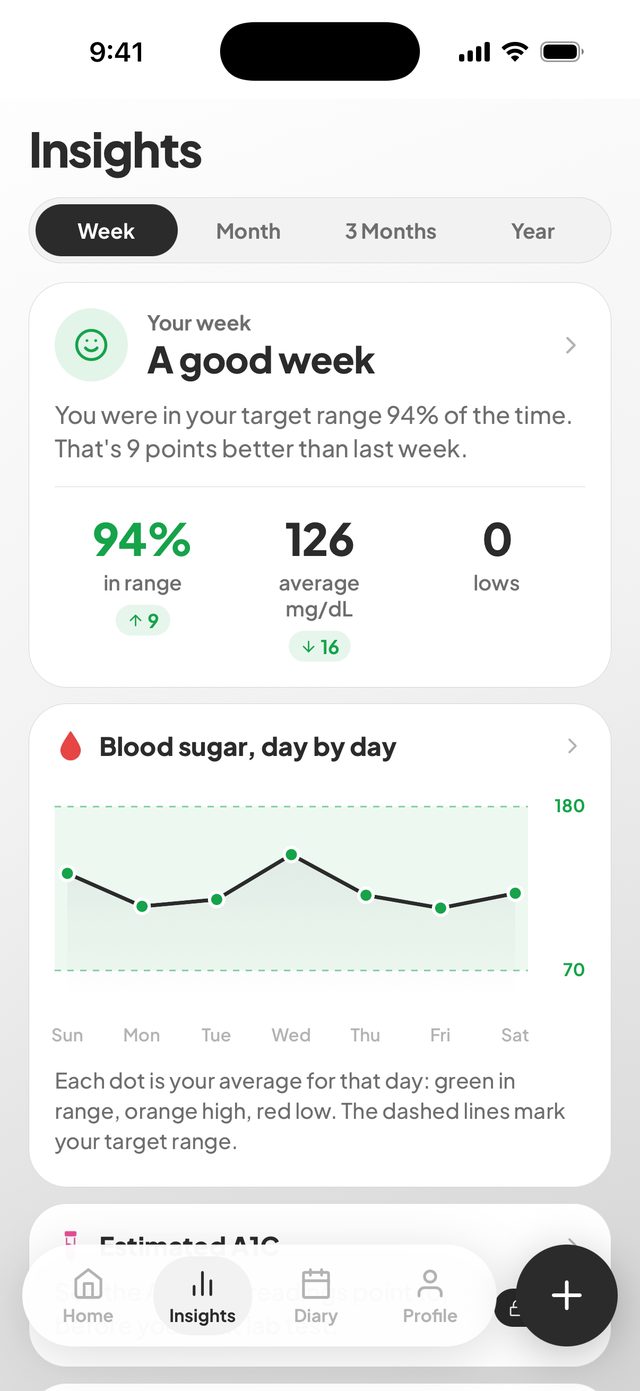
Insights
Your week, in plain words.
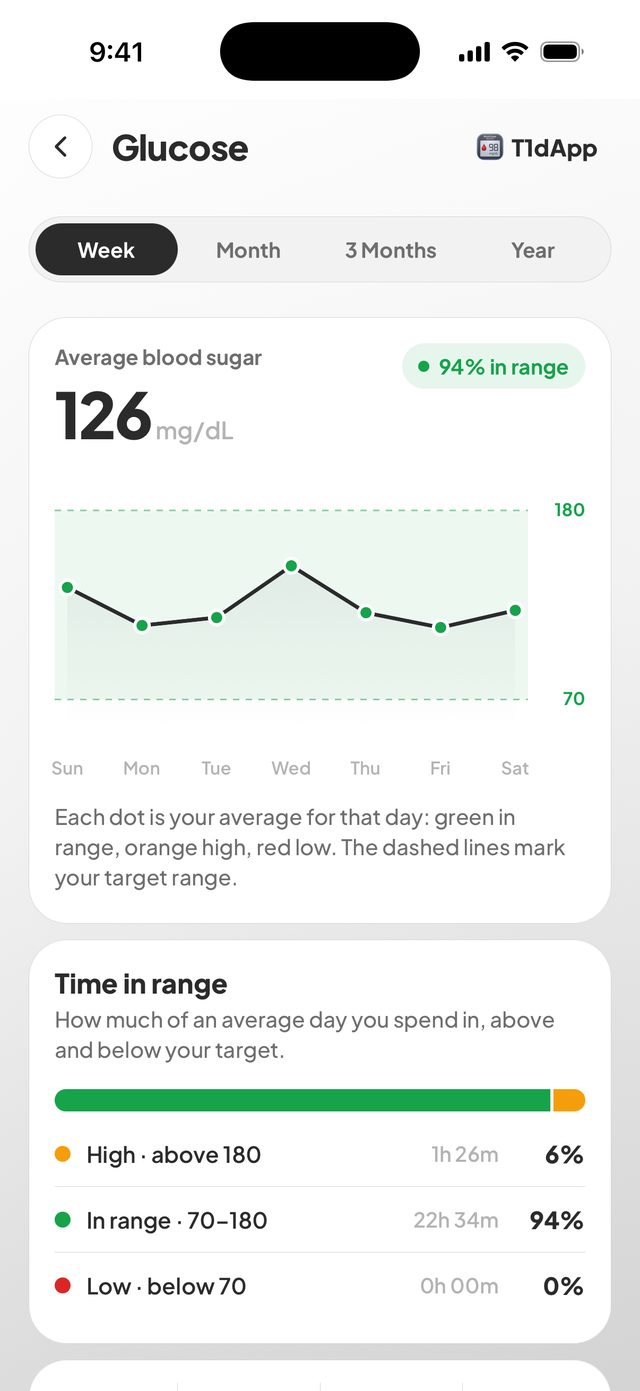
How much time you spent in range, your average, your lows and the time of day things tend to go up.
- Time in range and average blood sugar
- Your daily pattern, hour by hour
- An estimated A1C from your readings
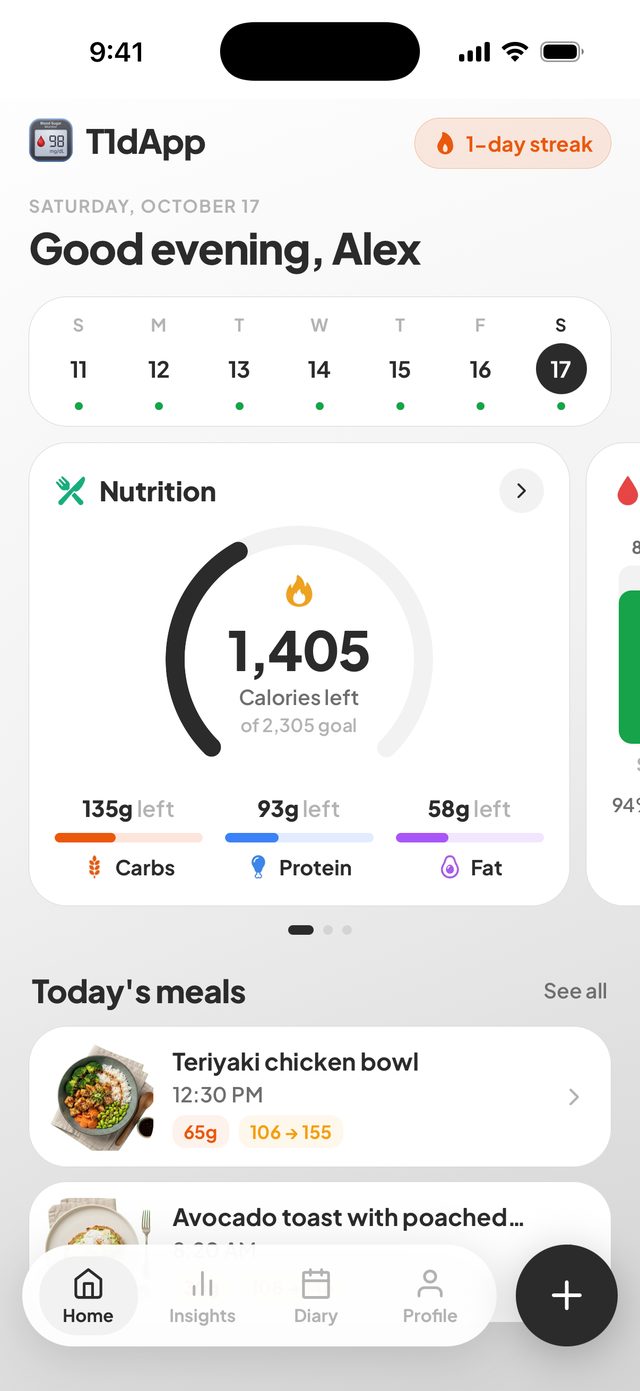
Daily goals
Know what's left today.
Calorie, carb, protein and fat goals worked out from your age, sex, height, weight and activity. Change them whenever you like.
- Calories and macros left, updated with every meal
- Your latest reading on the same screen
And the rest
Small things that save time every day.
Apple Health sync
Readings from Dexcom, FreeStyle Libre or a connected meter show up without typing.
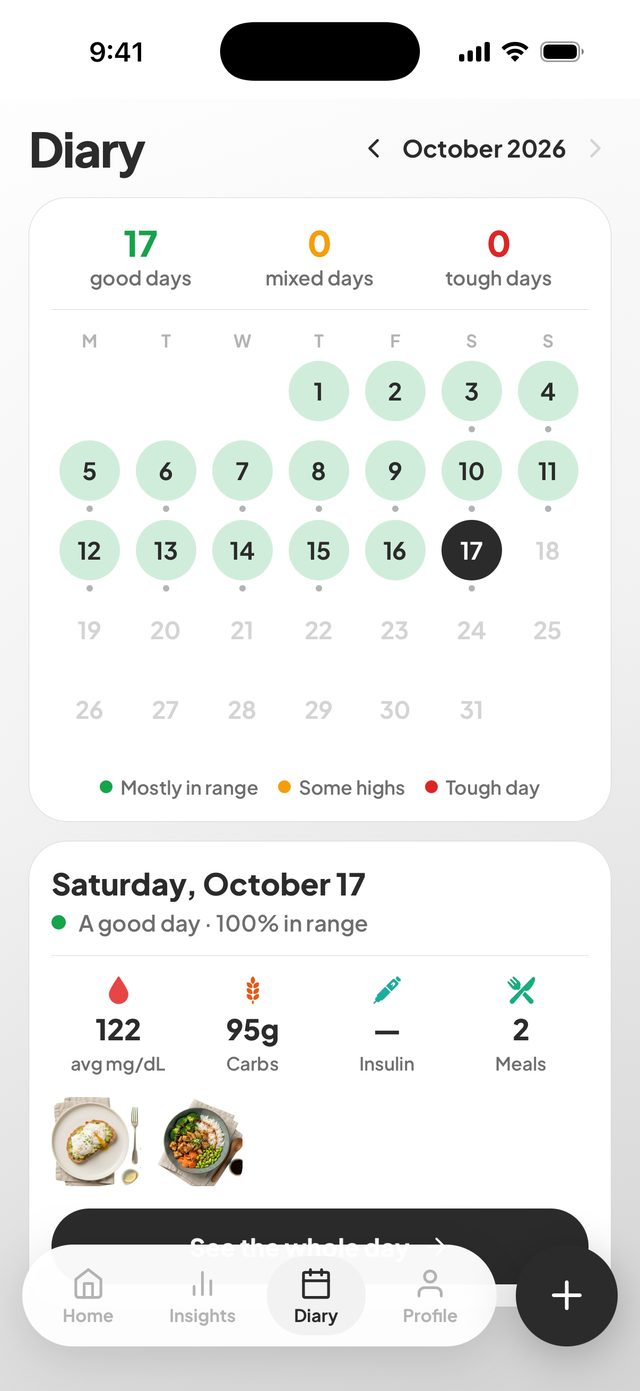
Diary calendar
Every day marked by how it went. Tap one to see its meals, readings and doses.
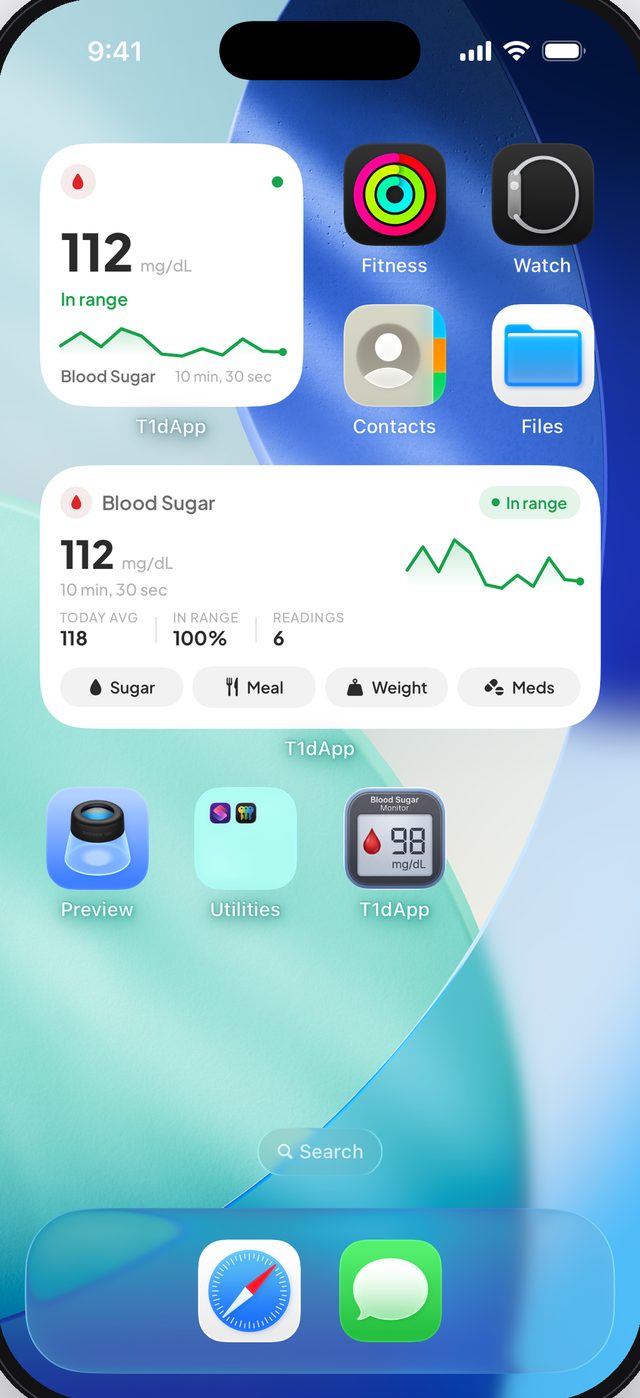
Widgets
Your latest reading on your Home and Lock Screen, with quick log buttons.
Insulin, meds and weight
Log insulin in units, other medication and weight, with reminders at the times you pick.
Reports for your doctor
A PDF summary or a CSV of every entry, ready for your next appointment.
Back up and restore
Save a backup file and restore it on a new phone. Your records stay on your device.
T1dApp is made by Zouhir Laoulaou, who lives with type 1 diabetes. It's the app he wanted for himself: carbs from a photo, and a straight answer on what each meal did.Questions or ideas? Email sizouhirl@gmail.com. A real person answers.
Pricing
One plan. Everything included.
T1dApp needs a T1dApp Pro subscription. Pick weekly, monthly or yearly.
T1dApp Pro
- 150 food snaps a month
- Need more? Snap packs add 50 snaps, one-time purchase
- Meal impact, insights, estimated A1C and diary
- Apple Health sync, widgets, reminders and reports
- Cancel any time in your App Store settings
The price for your country is shown in the app before you pay. Some plans start with a free trial. Subscriptions renew automatically until you cancel.
From the blog
Plain answers about food and blood sugar.
Thanksgiving carbs: a plate guide for diabetes
Carb counts for 12 holiday favorites from USDA data, two sample plates, and practical ways to manage blood sugar without missing out.
Food and carbsCarb counting for beginners
How to read a label, guess a plate, and get a little closer every week. No maths degree needed.
Blood sugarBlood sugar 2 hours after eating: what your number means
Why the 2-hour mark matters, the common targets, and what to do when the same meal keeps sending you high.
FAQ
Common questions.
How much does it cost?
T1dApp needs a T1dApp Pro subscription: weekly, monthly or yearly, renewing automatically until you cancel. The price for your country is shown in the app before you pay, and some plans include a free trial.
How accurate are food snaps?
They are estimates, shown as a range. Portion sizes and hidden ingredients like oil or sauce are hard to see in a photo, so check against food labels or weighed portions and edit the numbers before saving.
Does it tell me how much insulin to take?
No. T1dApp never recommends a dose. The blood sugar figure is an estimate and a rough guide, based on the meal and what you enter. Decide doses with your meter or CGM and your care team.
Does it work with my CGM?
If your Dexcom, FreeStyle Libre or meter app writes to Apple Health, turn on Apple Health sync and your readings appear on their own. Apple Health can be up to three hours behind.
Is it on Android?
Not yet. It's on iPhone and iPad today. Join the Android waitlist and you'll get one email the day it's live.
What about my data?
Your records stay on your phone. A meal photo leaves it only when you snap, to be read by an AI provider, and is not stored. The privacy policy has the details.
Snap your next meal.
See its carbs in seconds, and what it did to your blood sugar two hours later.